Go-Betrieben · Open Source

PicoClaw

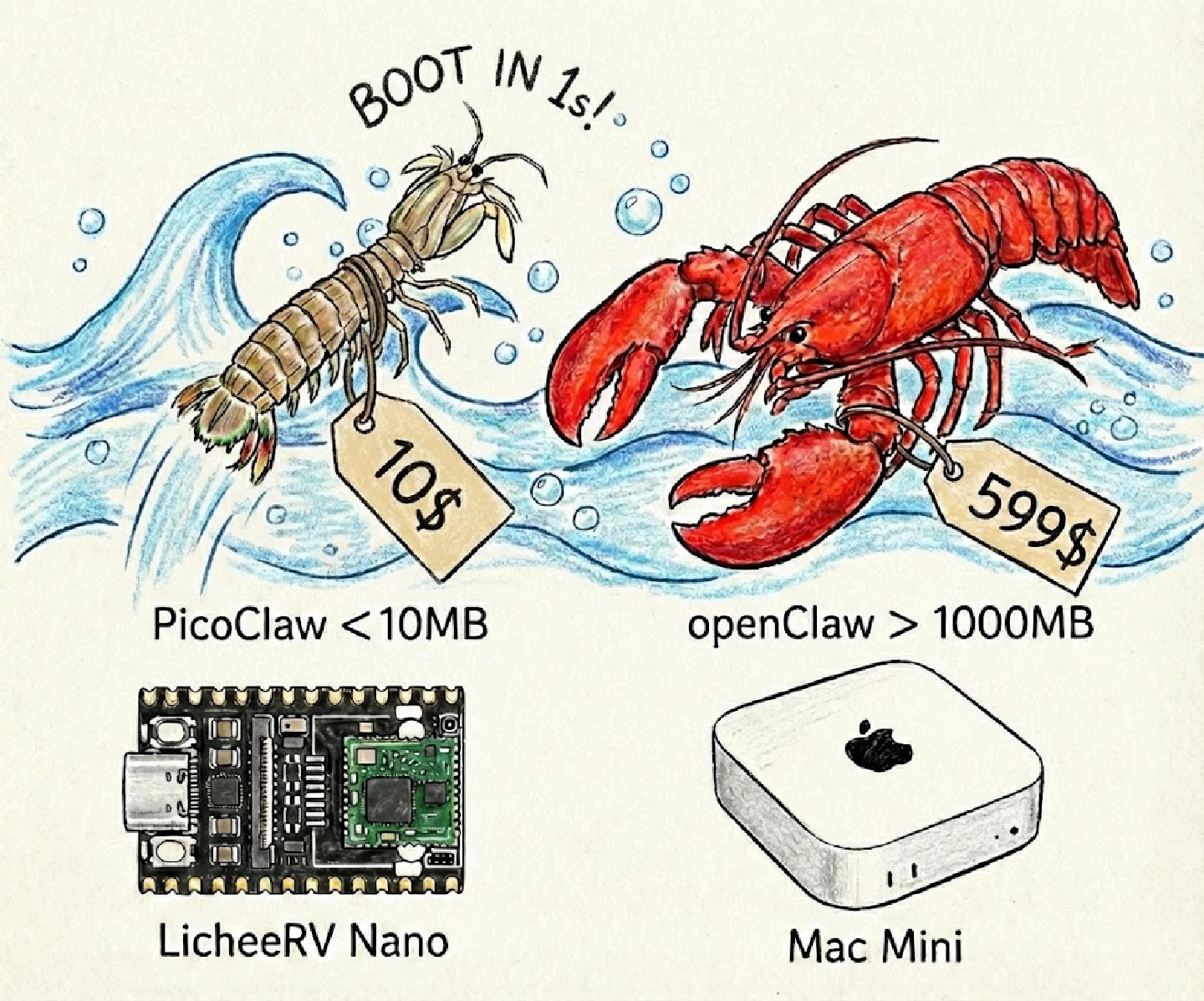
Ultraleichter persönlicher KI-Assistent. Speicherverbrauch unter 10MB, startet in unter 1 Sekunde, unterstützt Multi-Architektur-Deployment. Von $10-Hardware bis hin zu Hochleistungsservern, KI in greifbarer Nähe.

PicoClaw AI Interface - Modern dashboard showing AI model selection and chat interface
System Preview
<10MB
Speicherverbrauch
<1s
Startzeit
3
Architekturen
95%
KI-Generiert

Ultimative Leistung, Unendliche Möglichkeiten

In Go neu geschrieben, 10x Leistungssteigerung. Von Raspberry Pi bis zu Servern, von Telegram bis DingTalk, führen Sie KI überall aus.

Extrem Niedriger Ressourcenverbrauch

Speicherverbrauch unter 10MB, spart 99% Ressourcen im Vergleich zu Alternativen. Läuft reibungslos selbst auf $10-Hardware und macht KI für jeden zugänglich.

Blitzschneller Start

Startet in unter 1 Sekunde selbst auf Single-Core 0.6GHz Prozessoren. Verabschieden Sie sich von langen Wartezeiten, starten Sie KI-Gespräche jederzeit und überall.

Multi-Architektur-Unterstützung

Unterstützt x86_64, ARM64 und RISC-V Architekturen. Von Raspberry Pi bis zu Servern, von eingebetteten Geräten bis zur Cloud, deployen Sie überall mit einem Klick.

Multi-Plattform-Integration

Unterstützt Telegram, Discord, QQ, DingTalk und mehr. Starten Sie das Gateway mit einem Befehl, integrieren Sie KI in Ihren täglichen Workflow.

Intelligente Geplante Aufgaben

Eingebaute Cron-Unterstützung mit einmaligen Erinnerungen, wiederkehrenden Aufgaben und Standard-Cron-Ausdrücken. Automatisieren Sie Ihre tägliche Arbeit, befreien Sie Ihre Hände.

Multi-Modell-Unterstützung

Unterstützt OpenRouter, Zhipu, Anthropic, OpenAI, DeepSeek, Groq und mehr. Wechseln Sie frei, um die KI zu finden, die am besten zu Ihnen passt.

PicoClaw vs. Alternativen: Leistungsvergleich

In Go neu geschrieben, 10x Leistungssteigerung

Data Privacy

Cloud AI
Stored on Servers
PicoClaw
100% Local

Cost

Cloud AI
$20+/month
PicoClaw
Free after setup

Device Support

Cloud AI
Web only
PicoClaw
Mac/RPi/Docker

Built for Real-World Applications

From personal productivity to professional workflows, PicoClaw adapts to your needs.

code

Code Assistant

Local code completion, debugging, and documentation generation. Keep your proprietary code private while getting AI assistance.

edit_note

Content Creation

Write blog posts, emails, and documents with AI assistance. All your drafts and ideas stay on your device.

analytics

Data Analysis

Analyze sensitive business data locally. No data leaves your infrastructure, ensuring complete confidentiality.

calendar_month

Personal Assistant

Manage your calendar, emails, and tasks with voice commands and automation. 100+ integrations available.

school

Research & Learning

Summarize papers, answer questions, and organize knowledge bases. Perfect for students and researchers.

api

API Integration

Build custom applications with PicoClaw's REST API. Integrate AI capabilities into your existing workflows.

Ein-Klick-Installation, Sofortiger Start

Einzelne Binärdatei, keine komplexe Konfiguration. Unterstützt Windows, macOS, Linux und mehr.

bash — Schnellinstallation
git clone https://github.com/sipeed/picoclaw && cd picoclaw && picoclaw onboard
checklist

Systemanforderungen

  • Linux / macOS / Windows
  • Unterstützt x86_64 / ARM64 / RISC-V
  • Speicher ≥ 64MB (512MB empfohlen)
  • LLM API-Schlüssel (Optional)
settings_suggest

Core Features

  • Interactive Chat Conversations
  • Multi-Platform Bot Integration
  • Smart Scheduled Task Management
  • Long-Term Memory & Skill System

Jetzt Starten in Three Steps

  1. 1

    Clone Repository

    git clone https://github.com/sipeed/picoclaw.git
  2. 2

    Initialize Configuration

    cd picoclaw && picoclaw onboard

    Follow prompts to configure LLM API key and preferences

  3. 3

    Start Chatting

    picoclaw agent
    # Or send a single message:
    picoclaw agent -m "Hello, introduce yourself"

    Supports interactive conversations and single-query modes

macOS
Linux
Windows (WSL2)
Raspberry Pi
Docker

Frequently Asked Questions

What is PicoClaw?

PicoClaw is an ultra-lightweight personal AI assistant built with Go, inspired by the nanobot project. It features extremely low resource usage (under 10MB memory), multi-architecture deployment, and integration with multiple messaging platforms. 95% of the core code is auto-generated by AI agents, continuously optimized through human-in-the-loop.

What advantages does PicoClaw have over alternatives?

Compared to OpenClaw (TypeScript) and NanoBot (Python), PicoClaw reduces memory usage by 99% (from 100MB+ to 10MB) and startup time from 30 seconds to under 1 second. It also supports RISC-V architecture, running on hardware as cheap as $10, significantly lowering the barrier to entry.

Welche Messaging-Plattformen werden unterstützt?

PicoClaw supports multiple mainstream messaging platforms including Telegram, Discord, QQ, and DingTalk. Simply run the `picoclaw gateway` command to start the gateway service, configure the respective bot tokens, and use your AI assistant on these platforms.

Was sind die Hardwareanforderungen?

PicoClaw hat extrem niedrige Hardwareanforderungen, empfohlen 64MB+ Speicher (mindestens 10MB). Unterstützt x86_64, ARM64 und RISC-V-Architekturen und läuft auf Raspberry Pi, eingebetteten Geräten, Mac, Linux, Windows und mehr.

Welche LLM-Anbieter werden unterstützt?

PicoClaw unterstützt mehrere Mainstream-LLM-Anbieter, darunter OpenRouter, Zhipu AI, Anthropic, OpenAI, DeepSeek, Groq und mehr. Sie können frei zwischen Modellen wechseln, um das beste Gleichgewicht zwischen Leistung, Preis und Qualität zu finden.

Wo ist das GitHub-Repository?

Sie finden PicoClaw auf GitHub: github.com/sipeed/picoclaw. Markieren Sie das Projekt mit einem Stern, um die neuesten Updates und Feature-Releases zu verfolgen!

Wie verwende ich geplante Aufgaben?

PicoClaw hat eingebaute Cron-Unterstützung für verschiedene Aufgabentypen: einmalige Erinnerungen (z.B. "erinnere mich in 1 Stunde"), wiederkehrende Aufgaben (z.B. "täglichen Bericht um 8 Uhr senden") und Standard-Cron-Ausdrücke. Sie können geplante Aufgaben einfach über Konfigurationsdateien verwalten, um Ihren Workflow zu automatisieren.